
Ready for rain — swap a whole day with a spare slot
While planning day by day, prepare a rainy-day plan in a spare slot, then replace that day's plan in one step when you see the weather.
You can’t know the weather at your destination before you leave. If a day is mostly outdoors, it helps to decide in advance where to go if it rains. In Flex Trip Planner, you can prepare a backup plan in a spare slot and, after checking the weather that morning, replace that day’s plan in one step.
Our example is a 3-day trip to Jeju Island. Day 2 is Seongsan Ilchulbong and Udo Island, and Day 3 is the Yeongsil trail on Hallasan — plans that depend on the weather.
The app’s screens are in Korean. Below, button names are given in Korean with an English translation.
1. Plan day by day
When you create the trip, choose 일별 일정 (Daily schedule) as the plan type, and each day gets its own card. Add visits to each day.
2. Make a rainy-day plan in a spare slot
At the bottom of the schedule tab, tap 예비 슬롯 추가 (Add spare slot) to get an empty card named like “예비 1” (Spare 1). Use 이름 변경 (Rename) in the card’s menu to give it a name that says when it’s for, such as “2일차 비 오는 날” (Day 2, rainy day), and add indoor visits.
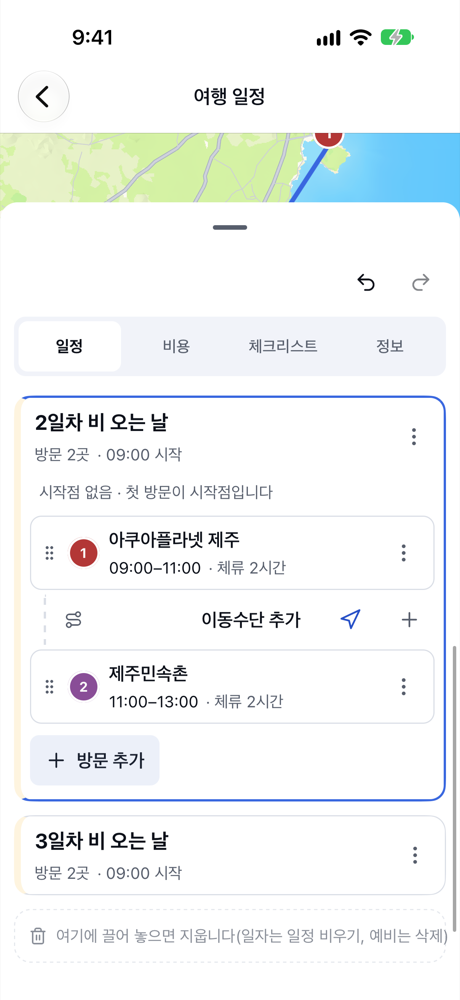
- Spare slots have no date. Use the name to show which day each one is for.
- Spare slot costs are not counted in the trip total.
3. On the morning, replace the day with the spare slot
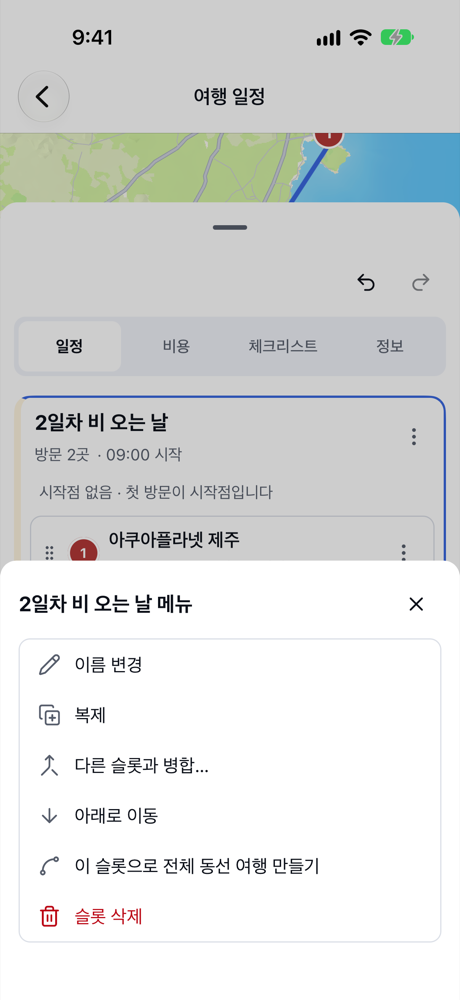
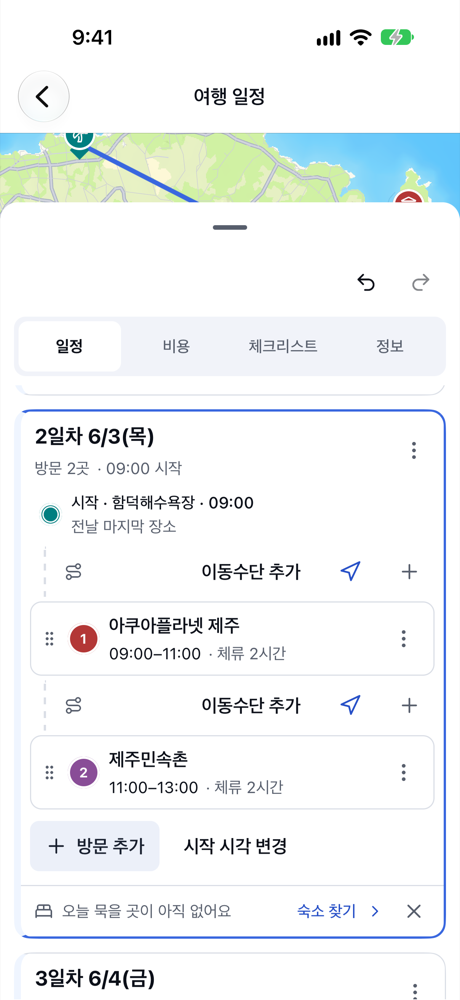
If it’s raining on the morning of Day 2, open the menu of the “2일차 비 오는 날” card and tap 다른 슬롯과 병합… (Merge with another slot…).
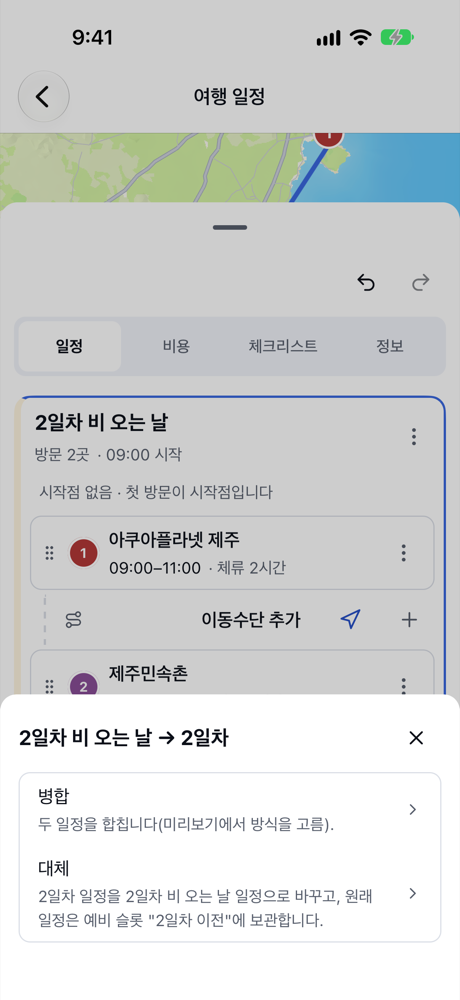
Choose 2일차 (Day 2) as the day to change, and you’re asked to pick 병합 (Merge) or 대체 (Replace). To swap the whole day, choose 대체 (Replace).
A confirmation screen shows exactly what will change.
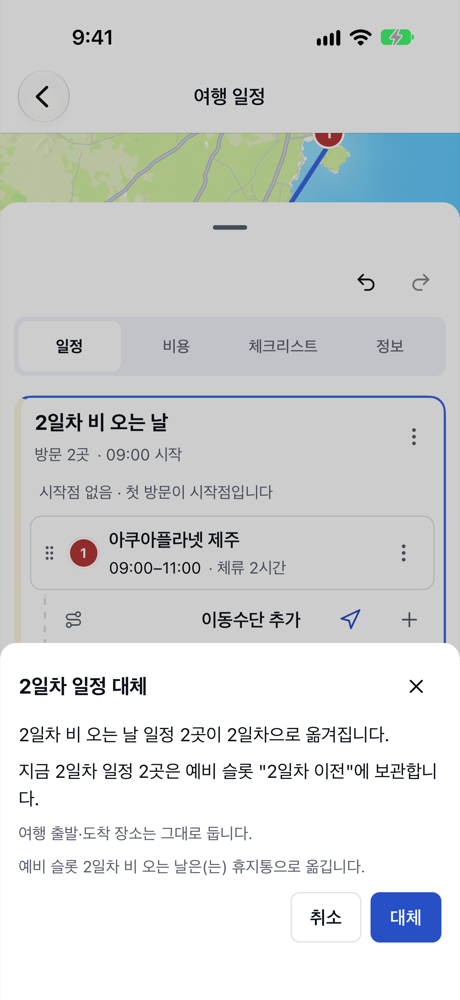
- The spare slot’s visits move to Day 2.
- The original Day 2 plan isn’t lost. It’s kept in a spare slot named “2일차 이전” (Day 2 before), so you can switch back the same way if the weather clears.
- The trip’s departure and arrival places stay where they are.
- The used spare slot goes to the trash.
Tap 대체 (Replace), and Day 2 becomes the indoor plan. To undo right away, tap 실행 취소 (Undo) in the toolbar.
Summary
- For days that are mostly outdoors, prepare a rainy-day plan in a spare slot and name it after the day.
- On the day, go to the spare slot’s menu → 다른 슬롯과 병합… (Merge with another slot…) → pick the day → 대체 (Replace) to swap the whole day.
- The original plan stays in a “Day N before” spare slot, so you can always switch back.